In case you have forgotten your password, take the following steps:
1. Visit the https://thesequelapp.com/
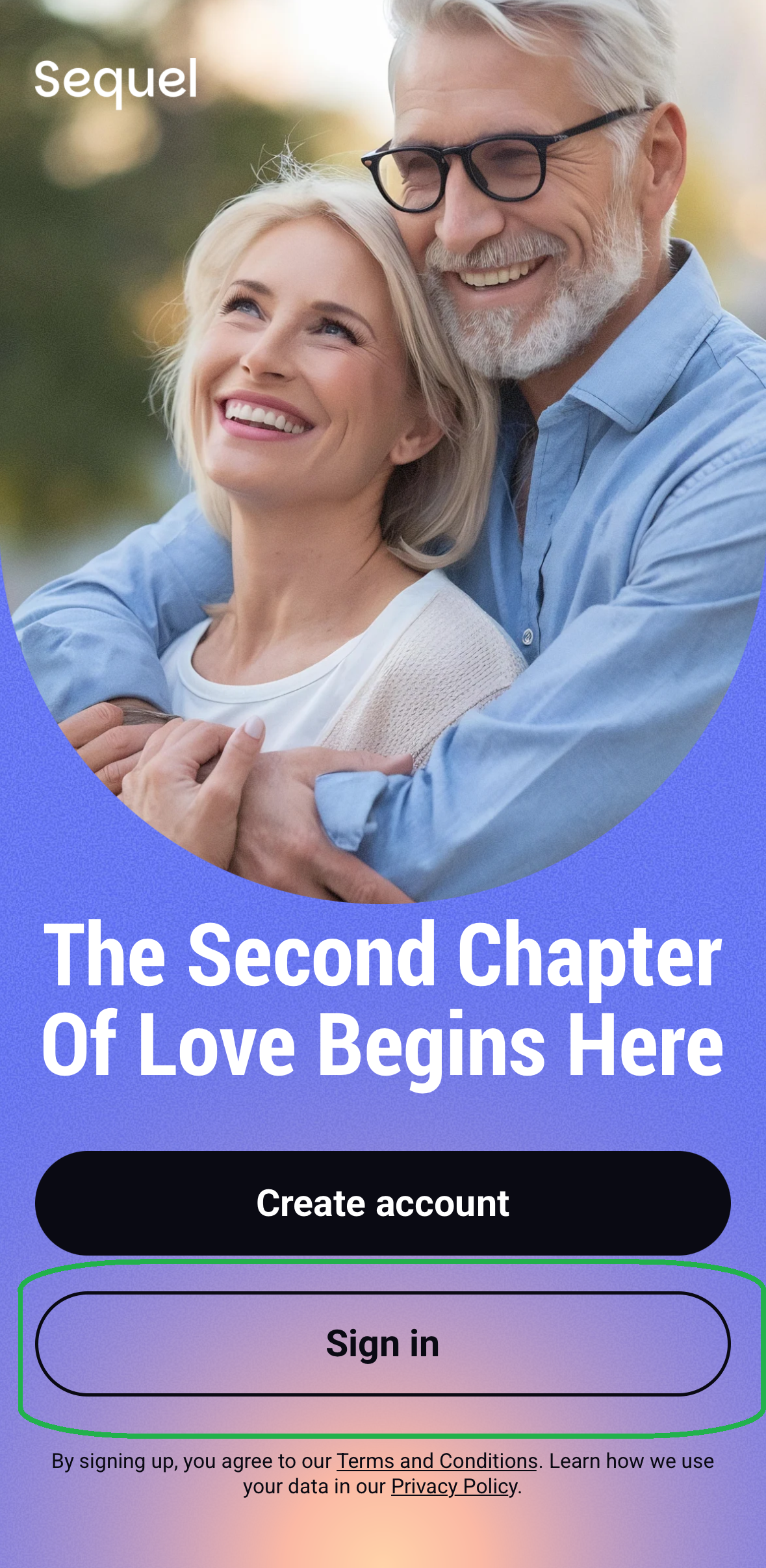
2. Click on the "Sign in" button;
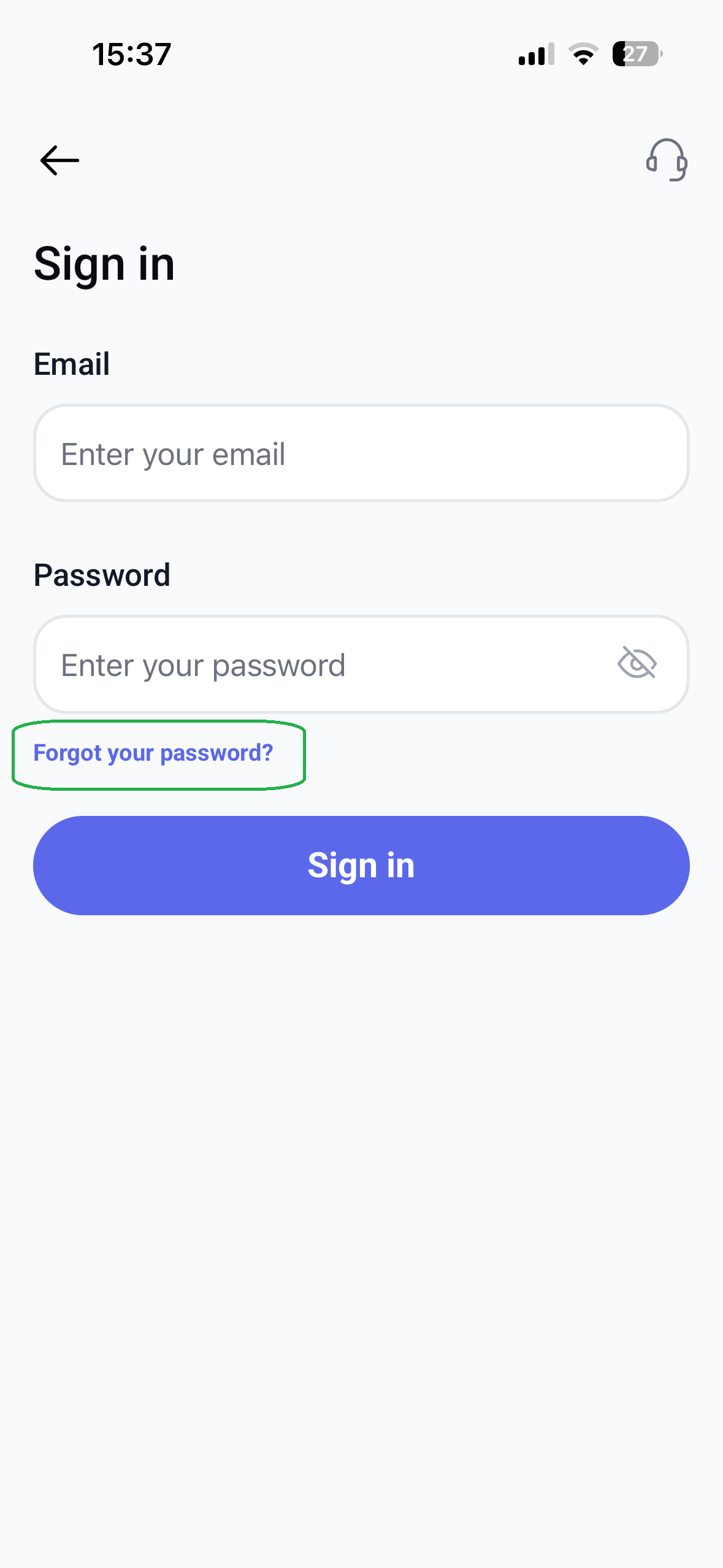
3. Click on the purple line "Forgot the password?";
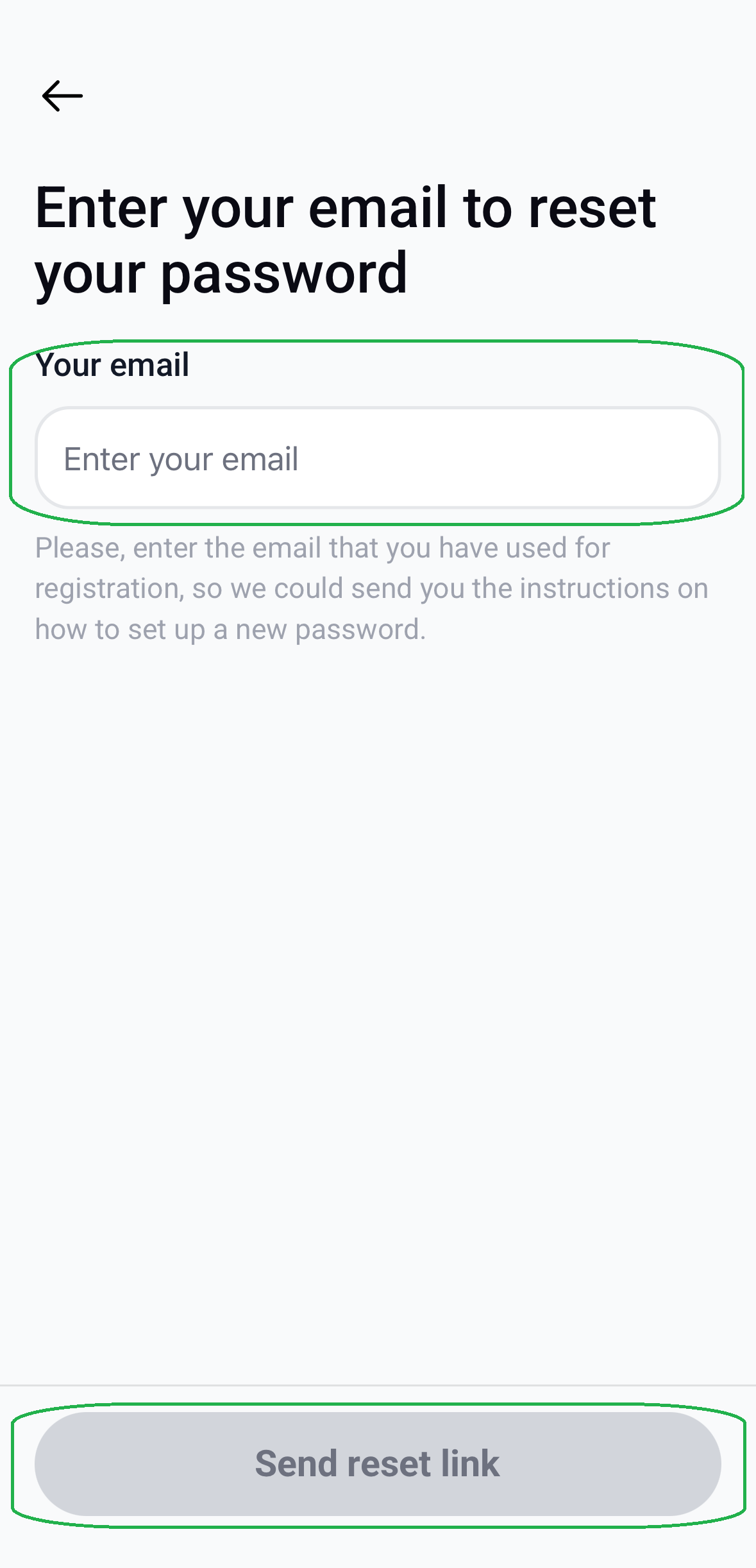
4. Enter your Email;
5. Click on the Send reset link button.
Great news! Your password has been successfully updated.
If you cannot find the email, please make sure to check your “Spam” or “Junk” folder, as some email providers may automatically filter such messages out of your inbox.
Should you experience any difficulties, feel free to contact our Customer Support Team — we will be happy to assist you.
We hope you enjoy your time on our website!
Was this article helpful?
That’s Great!
Thank you for your feedback
Sorry! We couldn't be helpful
Thank you for your feedback
Feedback sent
We appreciate your effort and will try to fix the article