The Sequel team aims to make it easier for you to connect with people who are closest to your location. If you’d like to view users near you, simply follow the steps below.
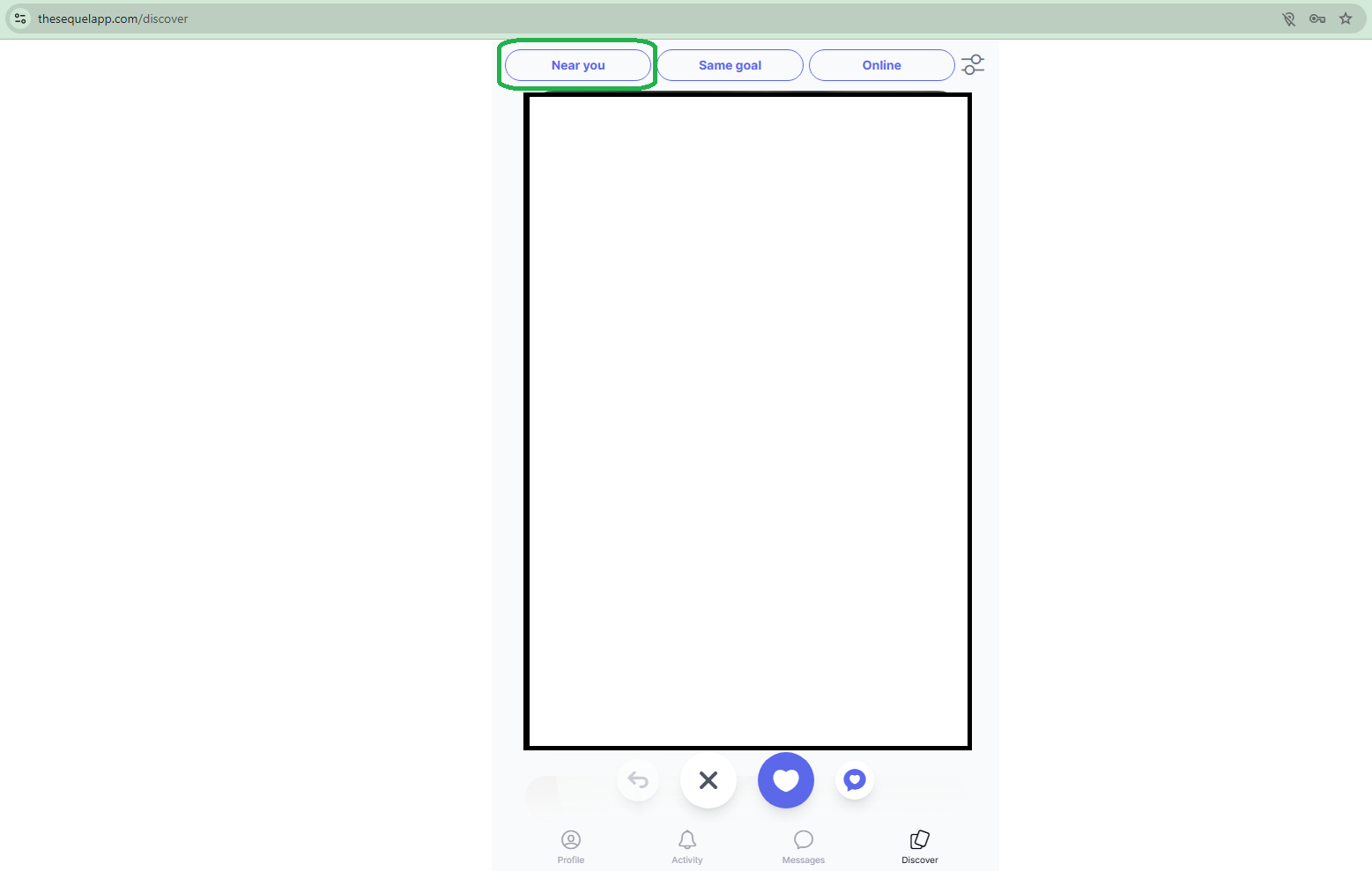
1. Visit your Discover page on our website and click on the "Near you" button:
2. After the previous step, please allow your browser to know your location:
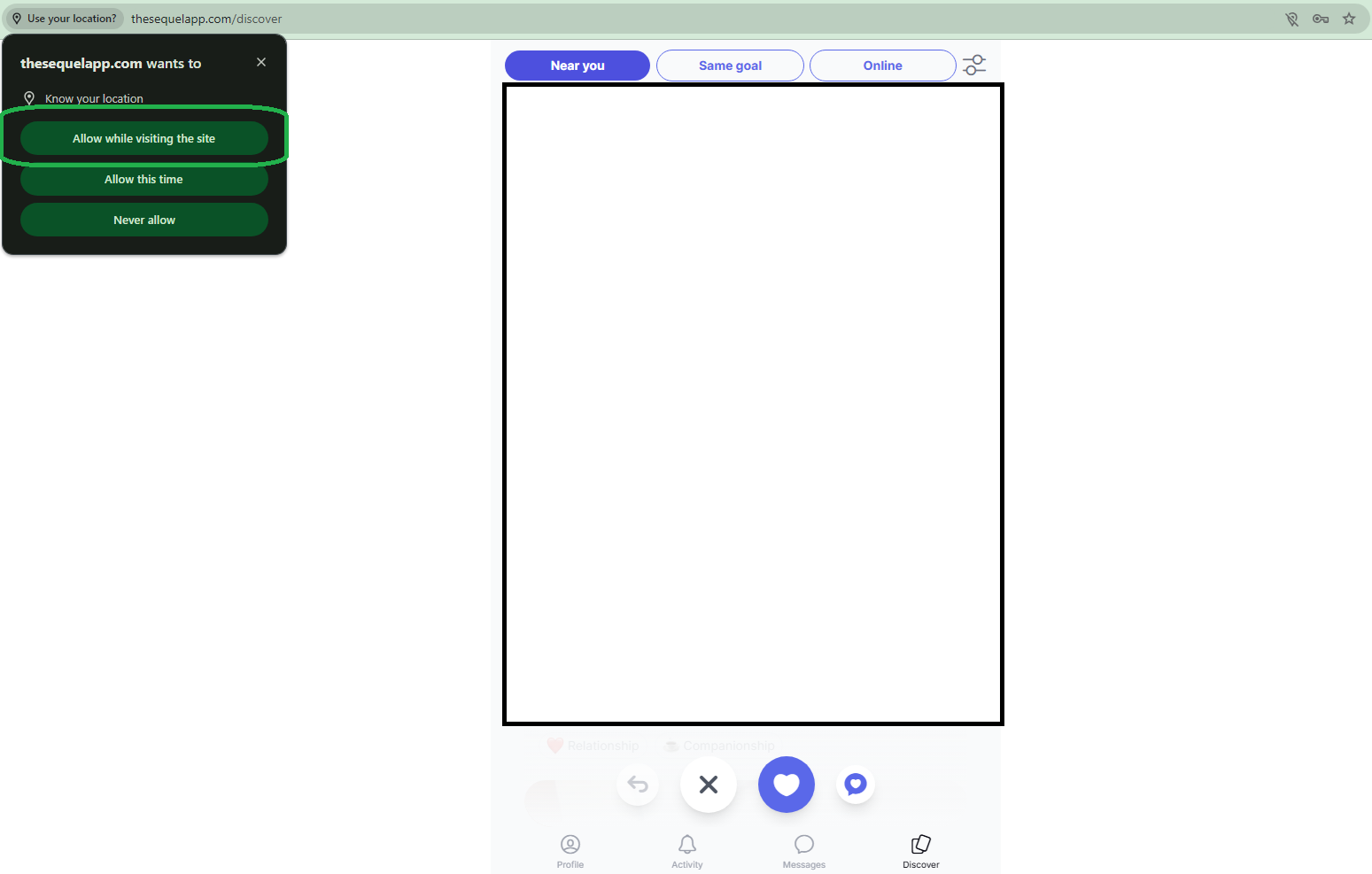
All set! After that is done you will see all the users from your locality on your Discover page. If you have any additional questions regarding our website, please contact our Customer Support Team!
Was this article helpful?
That’s Great!
Thank you for your feedback
Sorry! We couldn't be helpful
Thank you for your feedback
Feedback sent
We appreciate your effort and will try to fix the article