If you would like to delete a conversation with another user, you can do so in just a few simple steps.
1. Open the chat with the user you want to remove.
2. Tap the three dots in the top-right corner of the screen.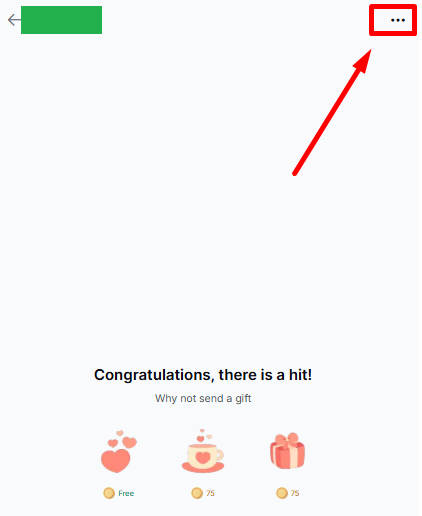 3. Select Delete Chat from the menu.
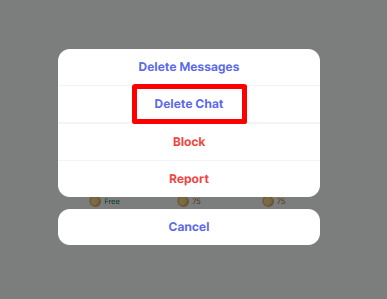 4. Confirm your choice
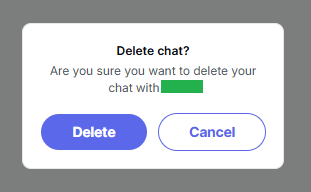
Once the chat is deleted, it will be removed from your conversation list.
If you have any questions or need further assistance, please contact Sequel Support. Our team will be happy to help you.
Was this article helpful?
That’s Great!
Thank you for your feedback
Sorry! We couldn't be helpful
Thank you for your feedback
Feedback sent
We appreciate your effort and will try to fix the article